
Quick Start#
This example runs a differential-drive robot from a start pose to a goal. Before continuing, install IR-SIM and verify that it imports successfully.
Create a Python file named
quick_start.py:
import irsim

env = irsim.make("robot_world.yaml")

for _ in range(300):
    env.step()
    env.render()

    if env.done():
        break

env.end()
In the same directory, create
robot_world.yaml:
The YAML file describes the world and robot. Change these values later to customize the scene.
world:
  height: 10
  width: 10
  step_time: 0.1
  sample_time: 0.1
  offset: [0, 0]

robot:
  kinematics: {name: diff}
  shape: {name: circle, radius: 0.2}
  state: [1, 1, 0]
  goal: [9, 9, 0]
  behavior: {name: dash}
  plot:
    show_trajectory: true
    show_goal: true
Run the Python file from that directory:
python quick_start.py
Run the script and a window opens showing the differential-drive robot navigating from its start to the goal:
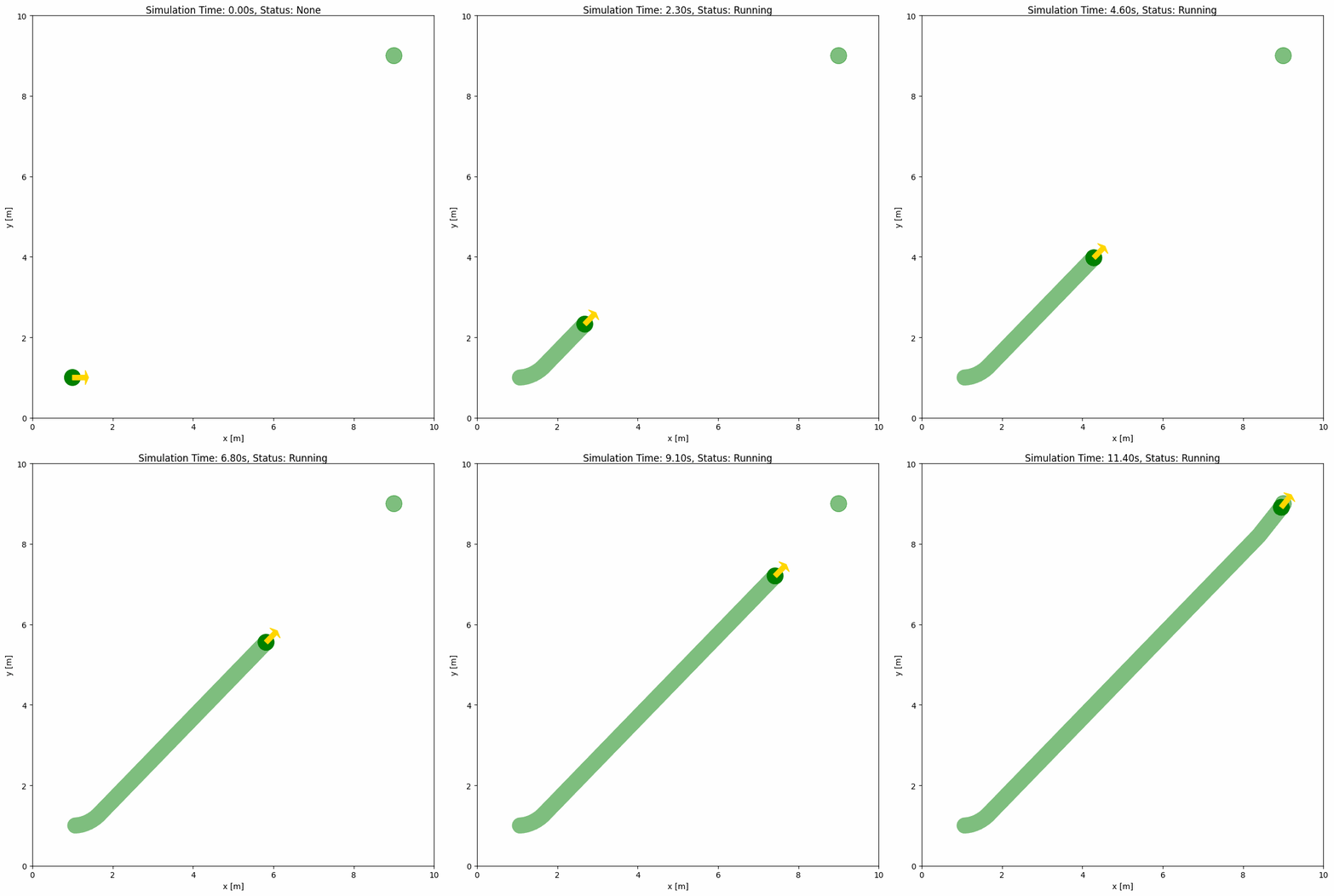
The loop advances the simulation by 0.1 seconds per step, renders the latest
state, and stops early when the environment reports that it is done. For a
server or batch job, create the environment with display=False and omit the
env.render() call.
Next steps#
Make Environment: the simulation loop, status control, and dynamic objects in depth.
Configure robots and obstacles: kinematics, shapes, and multi-object scenes.
YAML Configuration: the full configuration reference with an interactive schema explorer.