为对象配置行为#
仿真中的每个对象都可以独立指定行为以模拟不同场景。通过在 YAML 配置文件中设置行为参数即可完成配置。
行为配置参数#
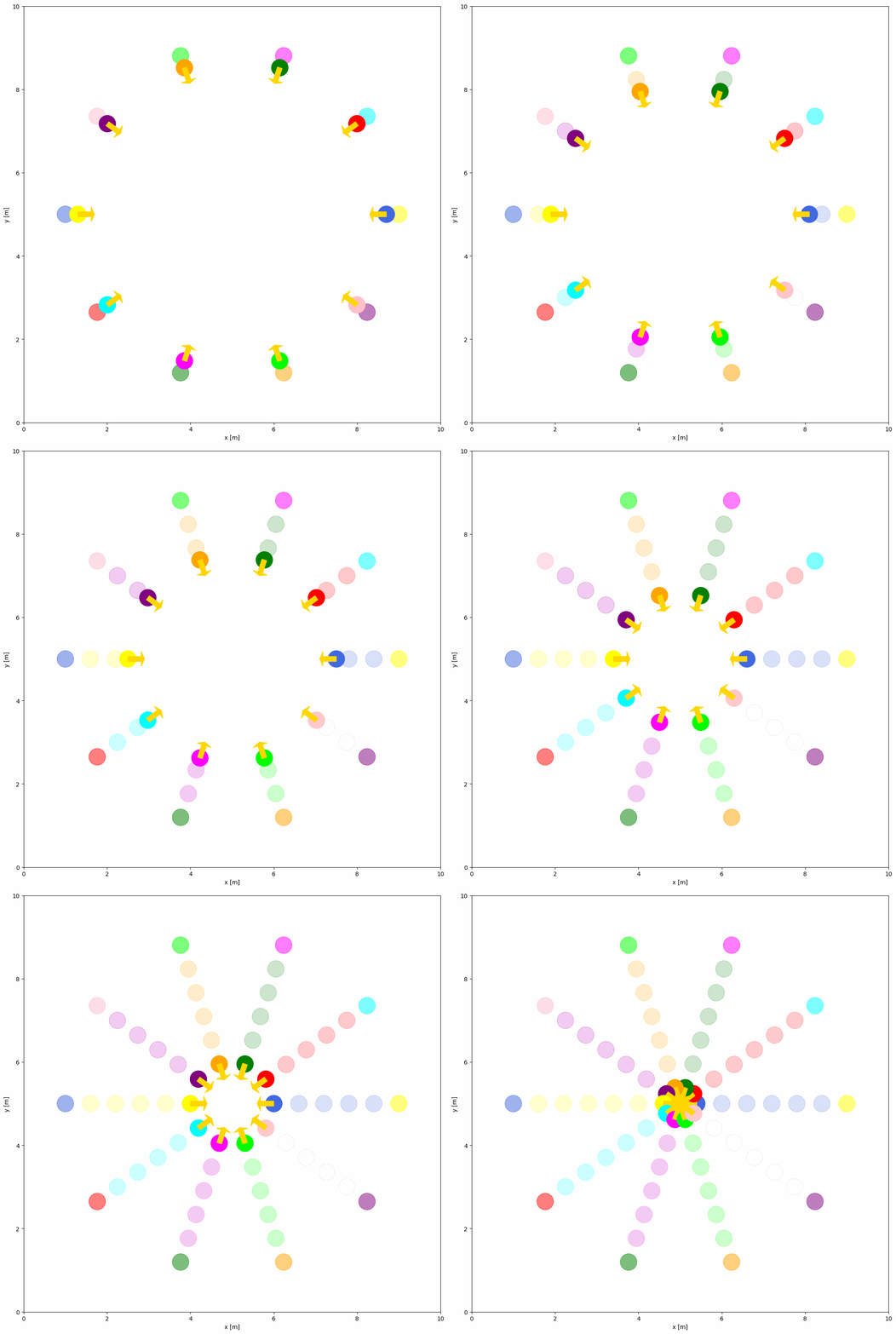
当前内置两种行为:dash 与 rvo。默认情况下运动对象的行为为静态。你可以在 YAML 文件中将行为设为 dash 或 rvo。dash 为简单的直线追踪行为,直接从初始位置移动到目标;rvo 则是多智能体的动态避碰算法。
下面示例展示了 RVO 行为:
import irsim

env = irsim.make()

for i in range(1000):

    env.step()
    env.render(0.05)

    if env.done():
        break

env.end()
world:
  height: 10  # the height of the world
  width: 10   # the width of the world

robot:
  - number: 10
    distribution: {name: 'circle', radius: 4.0, center: [5, 5]}
    kinematics: {name: 'diff'}
    shape:
      - {name: 'circle', radius: 0.2}
    behavior: {name: 'rvo', vxmax: 1.5, vymax: 1.5, acce: 1.0, factor: 1.0}
    vel_min: [-3, -3.0]
    vel_max: [3, 3.0]
    color: ['royalblue', 'red', 'green', 'orange', 'purple', 'yellow', 'cyan', 'magenta', 'lime', 'pink', 'brown']
    arrive_mode: position
    goal_threshold: 0.15
    plot:
      show_trail: true
      show_goal: true
      trail_fill: true
      trail_alpha: 0.2
      show_trajectory: false
关键行为参数说明#
通用参数:
name: 行为类型('dash'、'rvo'或自定义名称)wander: 抵达当前目标后是否随机生成下一个目标(默认False)target_roles: 行为作用对象筛选('all'、'robot'、'obstacle')
RVO 专用参数:
vxmax/vymax: x/y 方向最大速度(默认1.5)acce: 最大加速度(默认1.0)factor: 碰撞惩罚权重(默认1.0,越大越保守)mode: 算法模式——'rvo'(默认)、'hrvo'或'vo'neighbor_threshold: 邻近目标检测范围(默认3.0米)
Dash 专用参数:
angle_tolerance:diff/acker机动学对准方向的容差(默认0.1弧度)
完整的行为参数列表请参见 YAML 配置。
自定义行为的高级配置#
自定义行为函数#
若希望为对象创建自定义行为,需先在自定义 Python 脚本(如 custom_behavior_methods.py)中定义行为,如下所示:
from irsim.lib import register_behavior
from irsim.util.util import relative_position, WrapToPi
import numpy as np

@register_behavior("diff", "dash_custom")
def beh_diff_dash(ego_object, objects, **kwargs):

    state = ego_object.state
    goal = ego_object.goal
    goal_threshold = ego_object.goal_threshold
    _, max_vel = ego_object.get_vel_range()
    angle_tolerance = kwargs.get("angle_tolerance", 0.1)

    behavior_vel = DiffDash2(state, goal, max_vel, goal_threshold, angle_tolerance)

    return behavior_vel


def DiffDash2(state, goal, max_vel, goal_threshold=0.1, angle_tolerance=0.2):

    distance, radian = relative_position(state, goal)

    if distance < goal_threshold:
        return np.zeros((2, 1))

    diff_radian = WrapToPi(radian - state[2, 0])
    linear = max_vel[0, 0] * np.cos(diff_radian)

    if abs(diff_radian) < angle_tolerance:
        angular = 0
    else:
        angular = max_vel[1, 0] * np.sign(diff_radian)

    return np.array([[linear], [angular]])
ego_object 表示需要控制的对象,objects 是仿真中的对象列表。自定义行为函数需返回对象的速度,并可从对象中获取状态、目标等属性。DiffDash2 就是一个计算冲刺速度的自定义行为函数。
重要
必须使用 @register_behavior 装饰器注册自定义行为。装饰器的第一个参数为机动学名称(diff、acker、omni),第二个参数为在 YAML 中引用的行为名称。
注册行为#
下方给出了运行自定义行为所需的 Python 脚本与 YAML。
import irsim

env = irsim.make()
env.load_behavior("custom_behavior_methods")

for i in range(1000):

    env.step()
    env.render(0.01)

    if env.done():
        break

env.end(5)
load_behavior 函数会从 Python 脚本中加载自定义行为方法。custom_behavior_methods 是包含自定义行为函数的脚本名称。
备注
请将名为 custom_behavior_methods 的脚本与主 Python 脚本放在同一目录下。
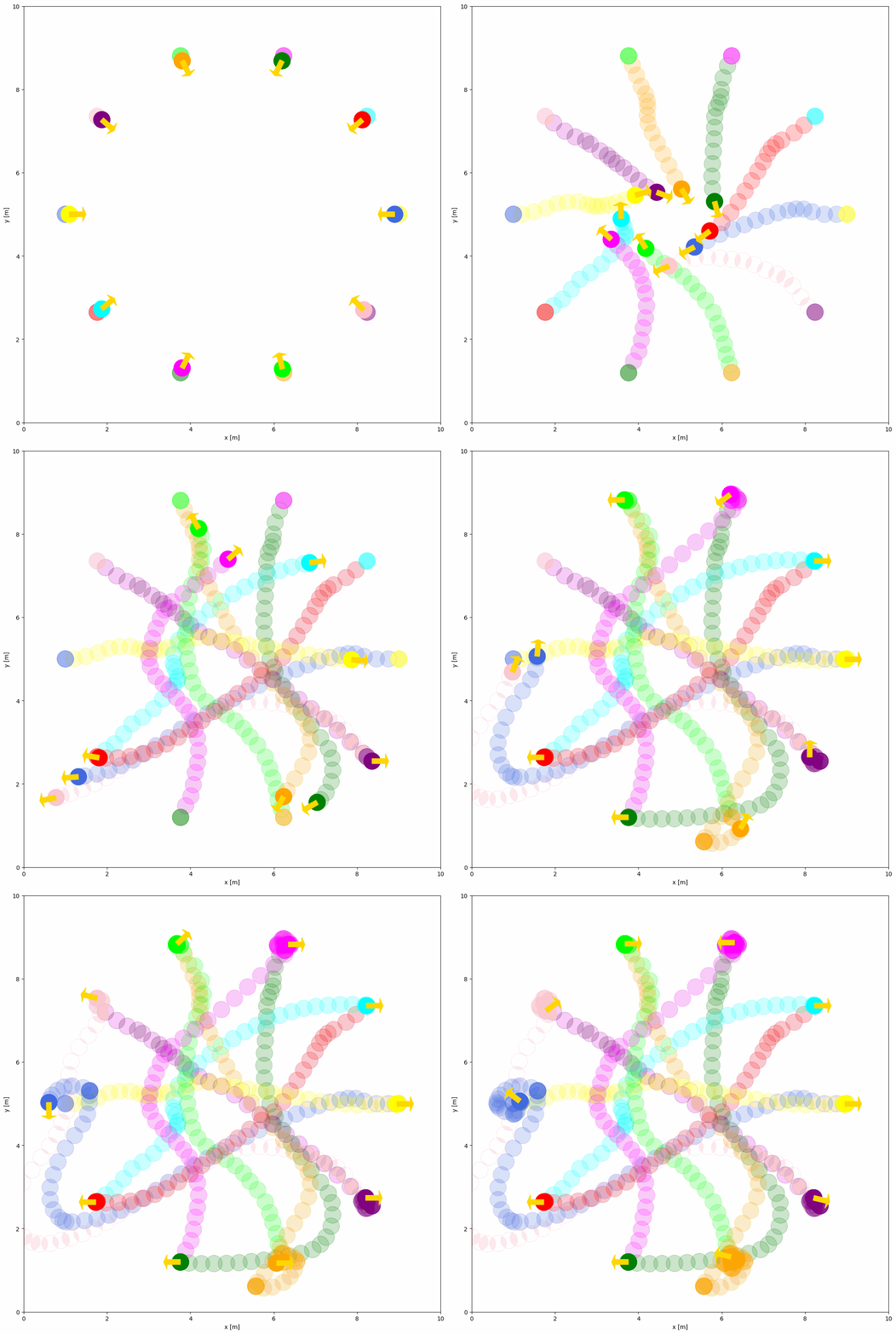
现在即可在 YAML 配置中使用自定义行为 dash_custom,如下所示。
world:
  height: 10  # the height of the world
  width: 10   # the width of the world

robot:
  - number: 10
    distribution: {name: 'circle', radius: 4.0, center: [5, 5]}
    kinematics: {name: 'diff'}
    shape:
      - {name: 'circle', radius: 0.2}
    behavior: {name: 'dash_custom'}
    vel_min: [-3, -3.0]
    vel_max: [3, 3.0]
    color: ['royalblue', 'red', 'green', 'orange', 'purple', 'yellow', 'cyan', 'magenta', 'lime', 'pink', 'brown']
    arrive_mode: position
    goal_threshold: 0.15
    plot:
      show_trail: true
      show_goal: true
      trail_fill: true
      trail_alpha: 0.2
      show_trajectory: false