配置机器人与障碍物#
要在环境中有效地模拟机器人,需要定义并配置多项机器人参数。
机器人配置参数#
仿真中的每个机器人都通过 YAML 配置文件中的参数定义。下面是一个简单示例:
对应的 Python 脚本与 YAML 配置如下:
import irsim

env = irsim.make('robot_world.yaml')

for i in range(1000):

    env.step()
    env.render(0.05)

    if env.done():
        break

env.end()
world:
  height: 10
  width: 10

robot:
  kinematics: {name: 'diff'}
  shape: {name: 'circle', radius: 0.2}
  state: [1, 1, 0]
  goal: [9, 9, 0]
  color: 'g'
  plot:
    show_trajectory: True
    show_goal: True
关键参数说明#
kinematics: 定义机器人的运动学模型,可选'omni'、'omni_angular'、'diff'、'acker'。'omni':全向轮,可向任意方向移动(无朝向控制)。'omni_angular':带偏航角速度控制的全向移动(可独立平移和旋转)。'diff':差速驱动,可前后移动并旋转。'acker':阿克曼转向,常用于车式机器人。
运动学对比:
运动学 |
控制输入 |
典型用途 |
可原地旋转? |
|---|---|---|---|
|
|
全向机器人、无人机 |
✗ 不可以 |
|
|
带朝向的全向机器人 |
✓ 可以 |
|
|
双轮机器人 |
✓ 可以 |
|
|
汽车及车式机器人 |
✗ 不可以 |
shape: 指定机器人的物理形状与尺寸,可选'circle'、'rectangle'、'polygon'、linestring。circle:给定半径的圆形机器人。rectangle:具有特定长宽的矩形机器人。polygon:多边形机器人。linestring:由线段组成的形状。
state: 定义机器人在环境中的初始位置与朝向。goal: 指定机器人的目标位置与朝向。plot(可选):设置机器人的可视化样式。参见plot()。
当设置了 kinematics 时,机器人默认使用 dash 行为从起始位置直接移动到目标。
说明#
env.step(): 将仿真推进一个时间步。可通过env.step(velocity)注入控制指令以运行自定义算法,velocity对应机器人kinematics。详情见 env.step。env.render(0.05): 以 0.05 秒间隔渲染环境状态。详情见 env.render。env.done(): 检查是否满足终止条件(如达到目标或发生碰撞)。详情见 env.done。env.end(): 优雅结束仿真并释放资源,确保干净退出。详情见 env.end。
备注
rda_planner 展示了如何通过 env.step(velocity) 运行自定义控制算法。
备注
在 kinematics 字典中将 noise 设为 True,即可为机器人或障碍物的运动学添加高斯噪声。详见 kinematics。
障碍物配置参数#
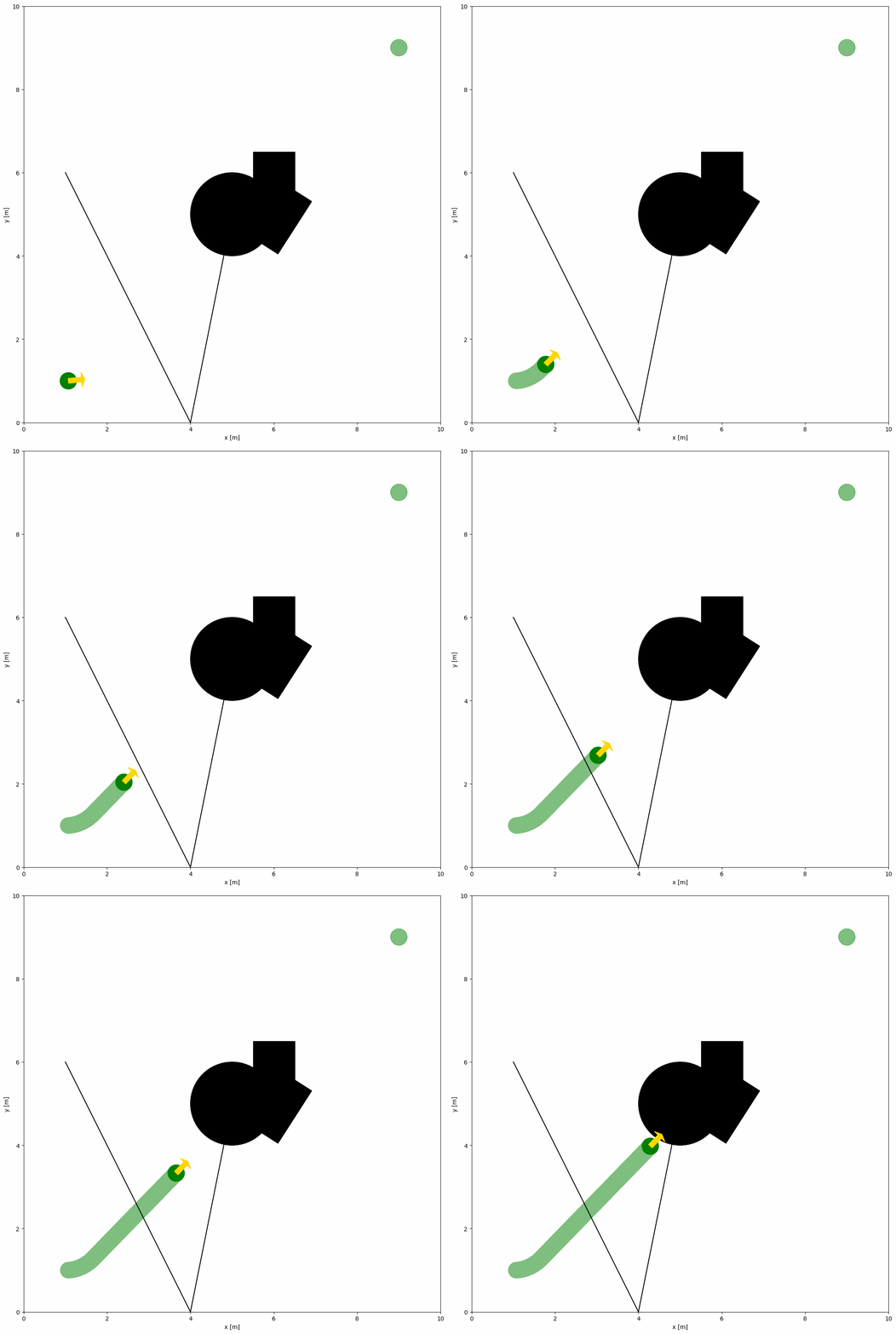
仿真中障碍物的参数与机器人类似。下例展示了在 YAML 中添加多类障碍物并复用同一 Python 脚本。
import irsim

env = irsim.make('robot_world.yaml')

for i in range(1000):

    env.step()
    env.render(0.05)

    if env.done():
        break

env.end()
world:
  height: 10
  width: 10

robot:
  kinematics: {name: 'diff'}
  shape: {name: 'circle', radius: 0.2}
  state: [1, 1, 0]
  goal: [9, 9, 0]
  color: 'g'
  plot:
    show_trajectory: True
    show_goal: True

obstacle:
  - shape: {name: 'circle', radius: 1.0}  # radius
    state: [5, 5, 0]

  - shape: {name: 'rectangle', length: 1.5, width: 1.2}  # length, width
    state: [6, 5, 1]

  - shape: {name: 'linestring', vertices: [[5, 5], [4, 0], [1, 6]] }  # vertices
    state: [0, 0, 0]
    unobstructed: True

  - shape:
      name: 'polygon'
      vertices:
        - [4.5, 4.5]
        - [5.5, 4.5]
        - [5.5, 5.5]
        - [4.5, 5.5]
关键参数说明#
unobstructed:设为
True时,该对象不参与碰撞检测。
备注
机器人与障碍物的主要区别:
Parameter |
Robot Default |
Obstacle Default |
|---|---|---|
|
|
|
|
Varies |
|
|
User-defined |
|
|
|
|
配置提示:
若未设置
kinematics,障碍物将保持静止同时配置
kinematics与behavior可让障碍物移动列表中使用
-定义每个新的机器人/障碍物
警告
请确保障碍物不要放在机器人初始位置,否则仿真开始时就会发生碰撞。
多机器人/障碍物的高级配置#
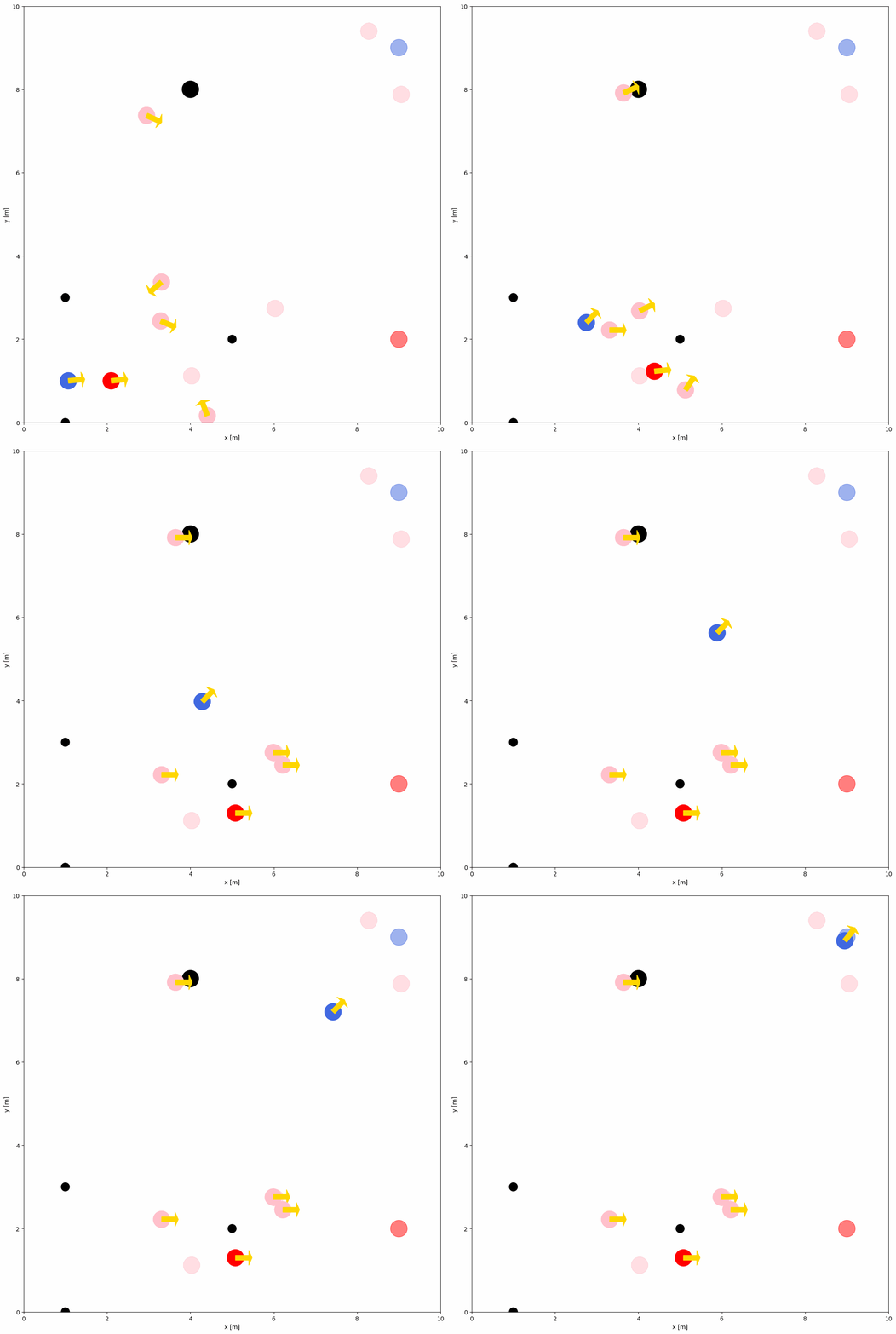
若要在同一环境中模拟多个机器人与障碍物,只需在配置中设置它们的 number 与 distribution。下面是一个包含多个机器人和障碍物的示例:
import irsim

env = irsim.make('robot_world.yaml')

for i in range(1000):

    env.step()
    env.render(0.05)

    if env.done():
        break

env.end()
world:
  height: 10  # the height of the world
  width: 10   # the width of the world

robot:
  - number: 2
    distribution: {name: 'manual'}
    kinematics: {name: 'diff'}
    shape:
      - {name: 'circle', radius: 0.2}  # radius
    state:
      - [1, 1, 0]
      - [2, 1, 0]
    goal:
      - [9, 9, 0]
      - [9, 2, 0]
    color:
      - 'royalblue'
      - 'red'

  - number: 4
    distribution: {name: 'random'}
    kinematics: {name: 'diff'}
    shape:
      - {name: 'circle', radius: 0.2}  # radius
    color:
      - 'pink'


obstacle:
  - number: 4
    distribution: {name: 'manual'}
    state: [[4, 8], [1, 3], [1, 0], [5, 2]]
    shape:
      - {name: 'circle', radius: 0.2}  # radius
      - {name: 'circle', radius: 0.1}  # radius
    color: 'k'
备注
distribution参数用于控制机器人和障碍物的布局,可选'manual'或'random'。更多细节见 YAML 配置。